Back in 2014, I built my previous photo processing computer, which at the time was a pretty good system. This PC has processed many photos, mosaics, focus stacks, and multishot panoramas, edited videos, and done various mapping and data processing tasks. The original build is listed below.
| Intel Core i7 4771 |
| ASUS Gryphon Z87 Motherboard |
| 2 sets of G.Skill Ripjaws X F3-1600C9D-16GXM 16GB (2x8GB) DDR3 -> total of 32Gb ram |
| Nvidia GTX560TI upgraded to a Nvidia GTX980 then upgraded to a Nvidia GTX1070 |
| Noctua NH-U12S CPU Cooler |
| Seasonic X-750 80Plus Gold 750W V3 |
| Corsair Obsidian 350D Case |
| Samsung 840 EVO Series 250GB SSD |
| Seagate Barracuda 4TB |
| 2 x Noctua NF-A14 PWM 140mm Fan |
| DEMCI Flex Corsair Obsidian 350D Top Filter |
| LG BH16NS40 16X BD-R Blu-ray Writer OEM |
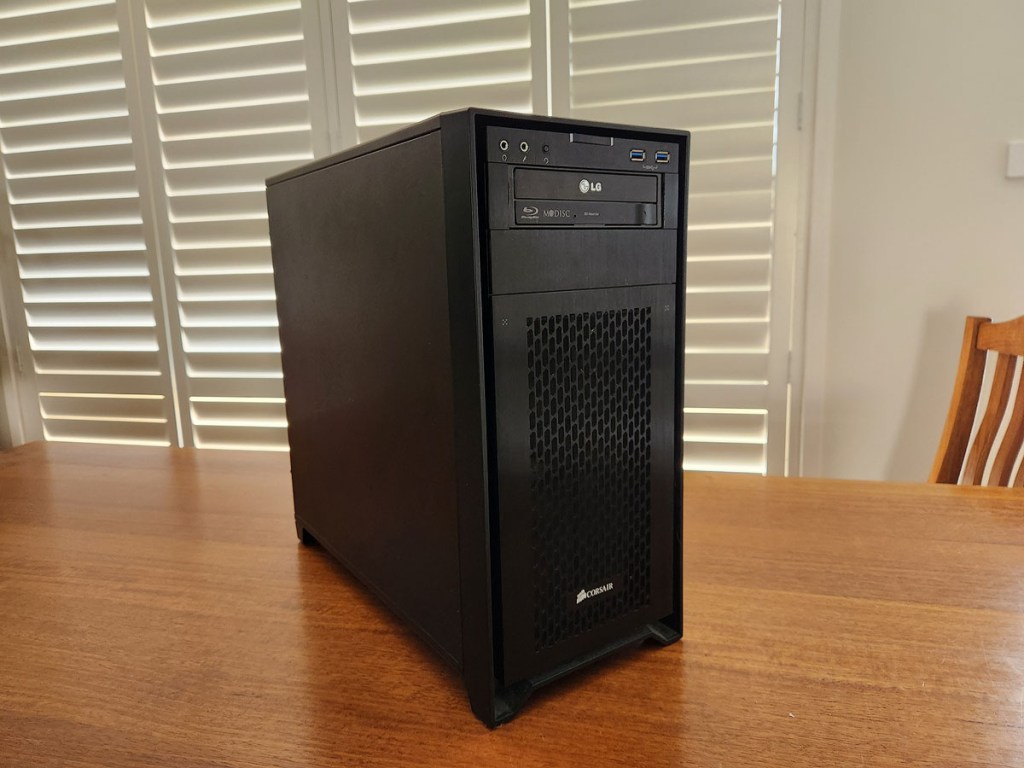
Over the ten or so years of it’s use I’ve upgraded the Graphics card a couple of times and added more storage and whilst it’s still going relatively well the audio component has failed. With increasing files sizes and increases in the complexity of image processing especially for large multi gigabyte images, massive multishot panorama’s, large many shot focus stacks and video editing this old system is now becoming unbearably slow. This combined with the limitation of a max of 32gb ram means this poor old pc is no longer up to the task for my image processing and data processing needs, so after nearly 10 yrs of pretty reliable service I’ve decided to build a new system.
New PC
This new build is a signifcant upgrade in technology.
| AMD Ryzen 9 7950x |
| ASUS ProArt X670E Creator Wi-Fi DDR5 Motherboard |
| Seasonic Prime PX-1000 Platinum 1000W Power Supply |
| Noctua NH-D15 Chromax CPU Cooler Black |
| Corsair Vengeance 64GB (2x32GB) 5200MHz CL40 DDR5 EXPO x 2 -> total of 128GB ram |
| Samsung 980 PRO M.2 PCI-E Gen4 NVMe SSD 1TB |
| Samsung 980 PRO M.2 PCI-E Gen4 NVMe SSD 2TB |
| Samsung 980 PRO M.2 PCI-E Gen4 NVMe SSD 4TB |
| Nvidia RTX3090 – secondhand |
| Fractal Design Torrent Case |
| Arctic Liquid Freezer II 420mm ARGB AIO Liquid CPU Cooler – updated cooler |

Initial tests for the system were very good, though it was found to be thermal throttling under long continuous processing loads. As such I upgraded the original Noctua NH-D15 Chromax air cooler to an Arctic Liquid Freezer II 420 AOI liquid cooler.
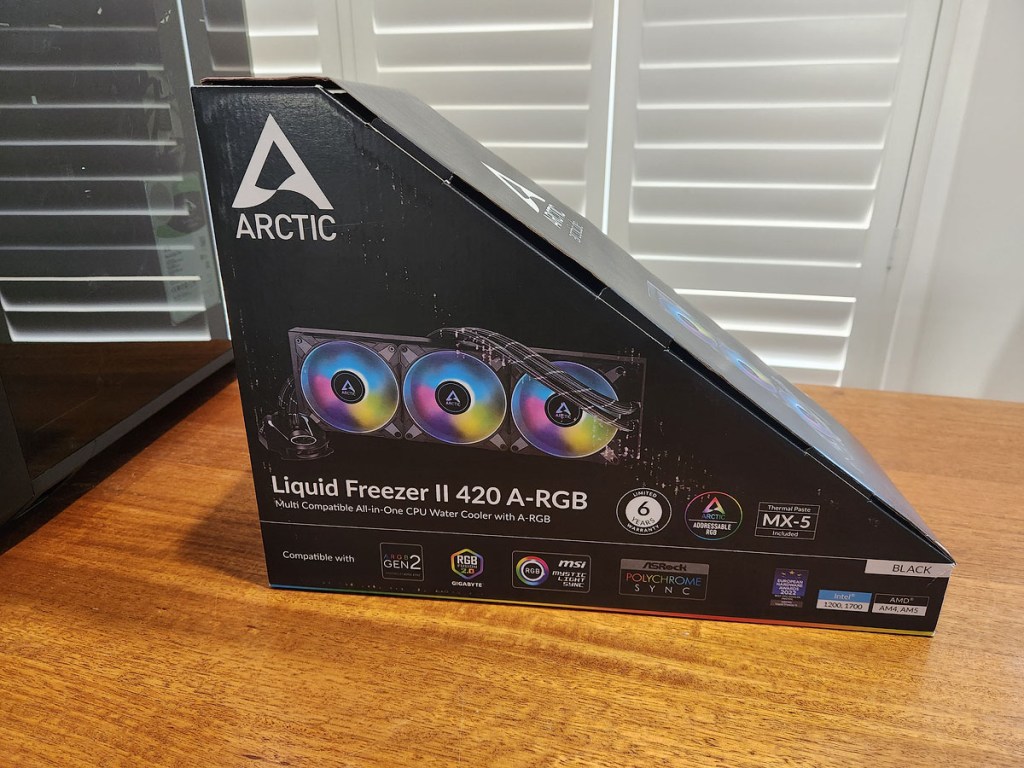

I also replaced the original Noctua thermal paste with a Honeywell PTM 7950 thermal pad, which essentially has similar thermal transfer properties to liquid metal and the added benefit of easier application and does not dry out like many other thermal pastes. Provided there are no hardware fails this pad should last the life of the PC. This cooler upgrade removed all thermal throttling issues with the CPU.

The final build above with the upgraded AOI cooler, it needs a little cable management but it’s all good to go.
Benchmarks
So how does this new beast compare:
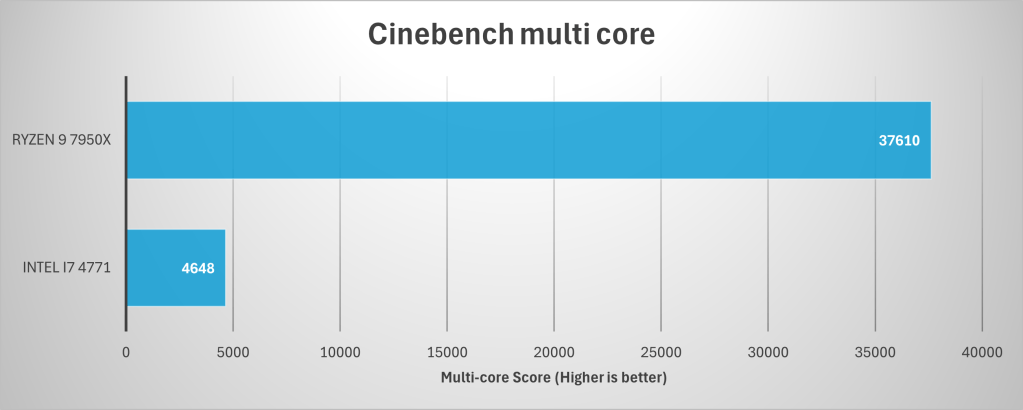
General Cinebench R23 scores which assess the performance of a computer’s CPU and GPU using real-world 3D rendering tasks shows that under a CPU only test the new computer is significantly faster than the old one, with it being just over twice as fast in single core compute and about 8 times faster in multi core. While this is not overly surprising given it’s an upgrade from a 4 core 8 thread processor locked to 3.5GHz to a 16 core 32 thread CPU running at 5GHz and a considerably newer processor with better efficiency and other optimisations and also significant platform improvements obtained from moving from Sata III to NVME SSDs, faster ram, higher speed PCIe and a significantly better GPU. The overall performance improvement is far greater than I initially expected.

In application tests particularly Lightroom and Photoshop the new computer is up top 3 times faster in processing imagery in both Lightroom and Photoshop.


Data processing, another task which I’ll be using this computer for was tested using a demo version of Agisoft Metashape and the PugetBench Metashape test. This tests both CPU and GPU for image and data compute. Again the new computer is significantly faster at completing this type of compute task. This will become very usefull for deep learning and other machine learning applications especially in relation to image processing and noise reduction in tools like DxO PureRaw and Topaz Labs, Topaz DeNoise AI.

While it’s not surprising that a 2023 computer is faster than a 2013 built system, I’m still amazed at the performance improvements and hope that I’ll get a similar life out of this new pc as I did out of the old workhorse. With regards to the old computer, it’ll find a new life as a Network Attached Storage device which I’ll build to house backups of all of my data, provide peronal cloud storage and as a media server. I’ll post this build in the near future.
 Greg West
Leave a comment